Pi Tunnel
A macOS menu bar app that shows the state of an SSH port-forwarding tunnel to a Raspberry Pi, one brick per port.
How it works
-
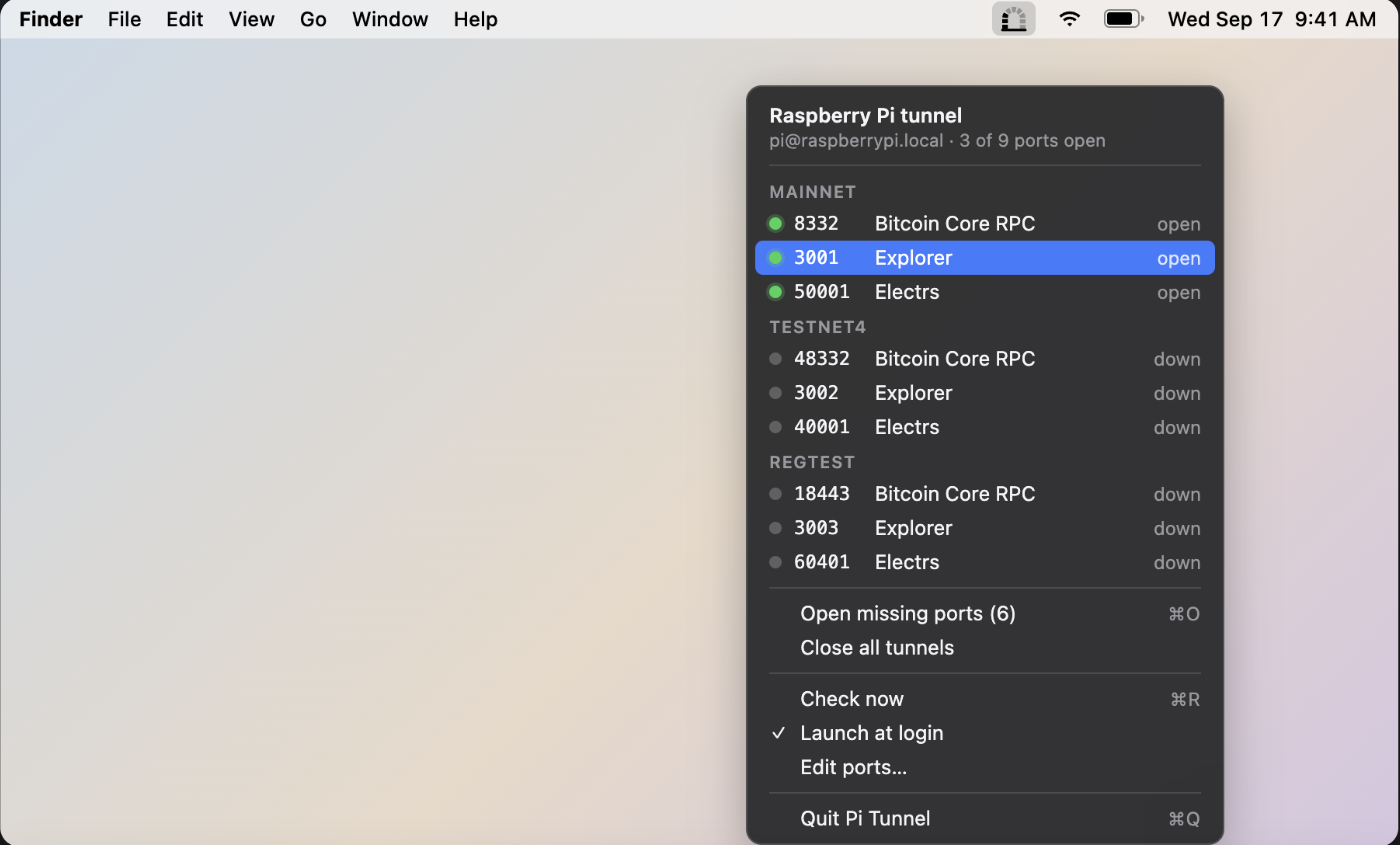
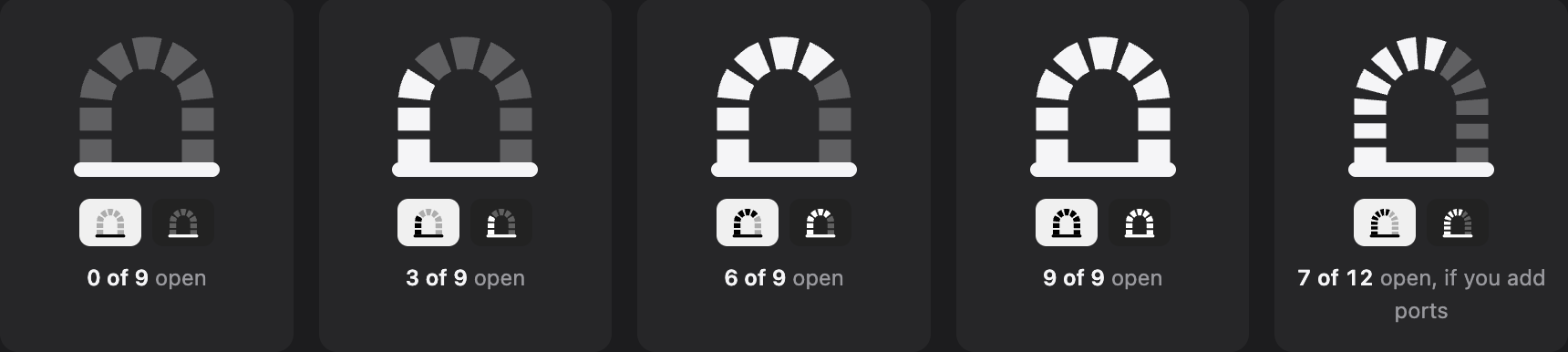
One brick per port.The menu bar icon is a tunnel arch drawn as bricks, one for every port in your config. A brick lights up when its tunnel is actually up.
-
Open means TCP connect and an ssh listener.Pi Tunnel connects to each local port and checks who's listening. Open only counts if the listener belongs to an ssh process, not just any local service.
-
Open missing ports, or close everything.One click opens whichever tunnels are down, or closes every ssh tunnel Pi Tunnel is managing.
The icon at a glance
Configure
Choose Edit Ports… from the menu. The window shows the SSH host, how often to check, and a table of every port with its group, number, service name and an optional URL. Click a cell to change it, add or remove rows, then Save; the menu and the icon update immediately.
Ports in the same group are listed together in the menu. A row with a URL opens it in your browser when clicked; other rows copy 127.0.0.1:<port> to the clipboard. Prefer a text editor? The window has a button that opens the underlying ~/.config/pi-tunnel/ports.json.
Releases are signed with a ByteApps LLC Developer ID and notarized by Apple, so the app opens without warnings. Requires macOS 13 or later.